Flow Builder
Build integrations without code
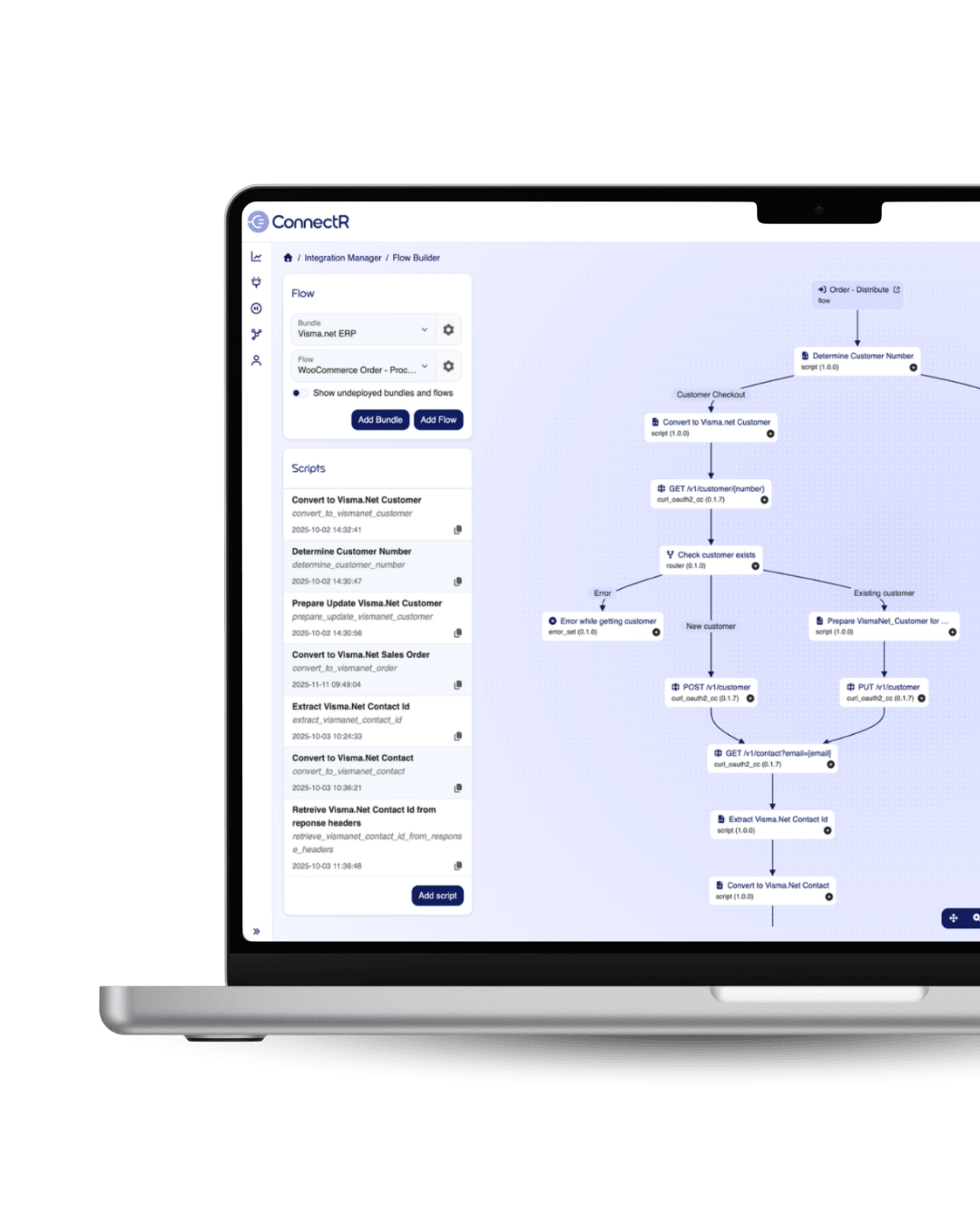
ConnectR consists of a set of interconnected features that together cover the entire integration process—from visually building flows to controlled deployment, secure access, and monitoring. On this page, you’ll find a brief description of each feature, explaining what it does and how it makes a difference in day-to-day operations.
ConnectR includes a complete set of features that together cover the entire integration process—from building flows to deploying them, securing access, monitoring, and handling errors. Below, we highlight the most important ones, with a brief description of what each feature does and how it makes a difference in everyday practice.
Each feature has its own role. Together, they form the platform.
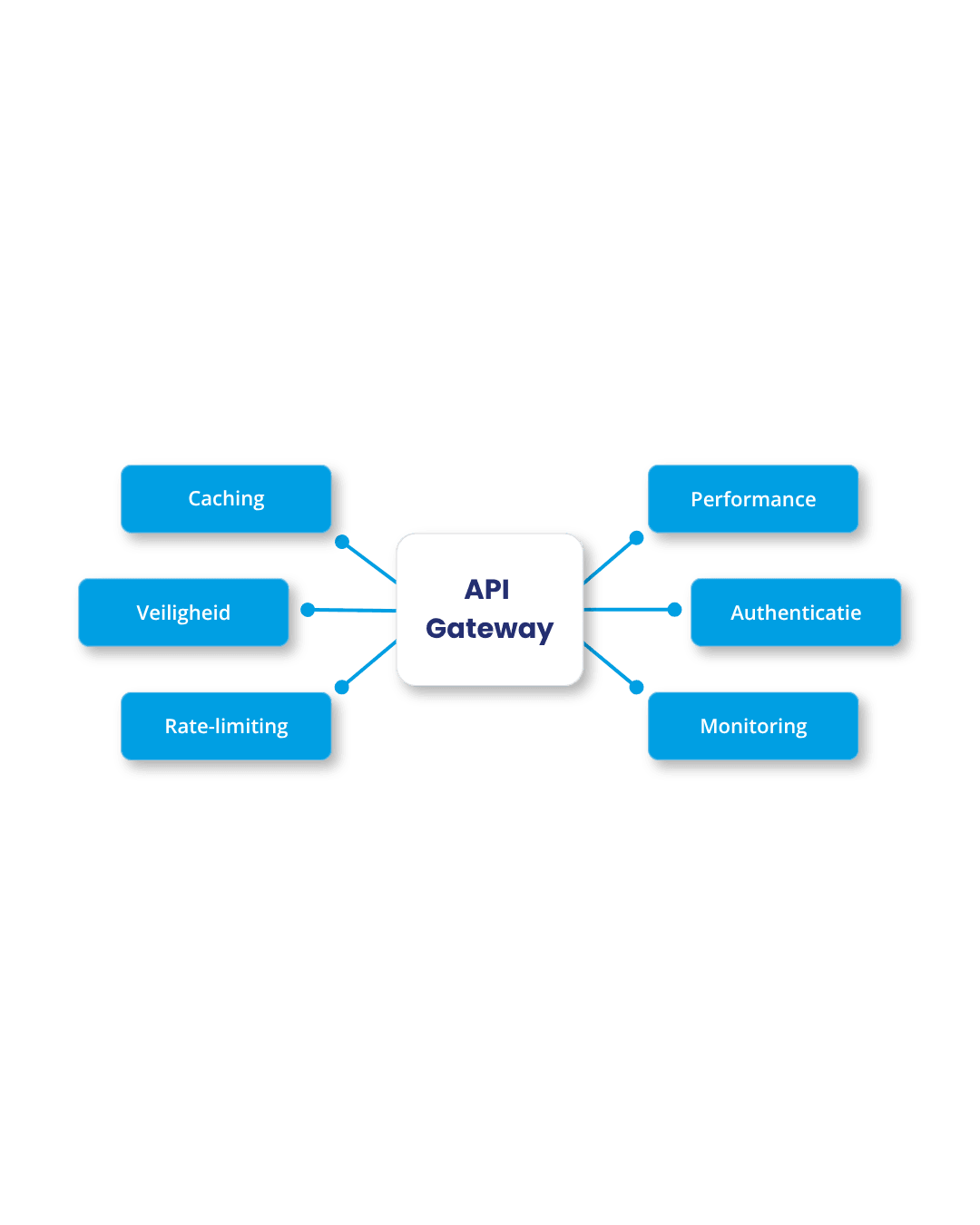
The API Gateway is the point of contact for everything coming in from outside. You configure endpoints and link them to one or more systems in your landscape. For each route, you set rate and concurrency limits, protect access with IP whitelisting and authentication, and determine the priority and queue for processing.
External integrations come in on your terms, not those of the external system.
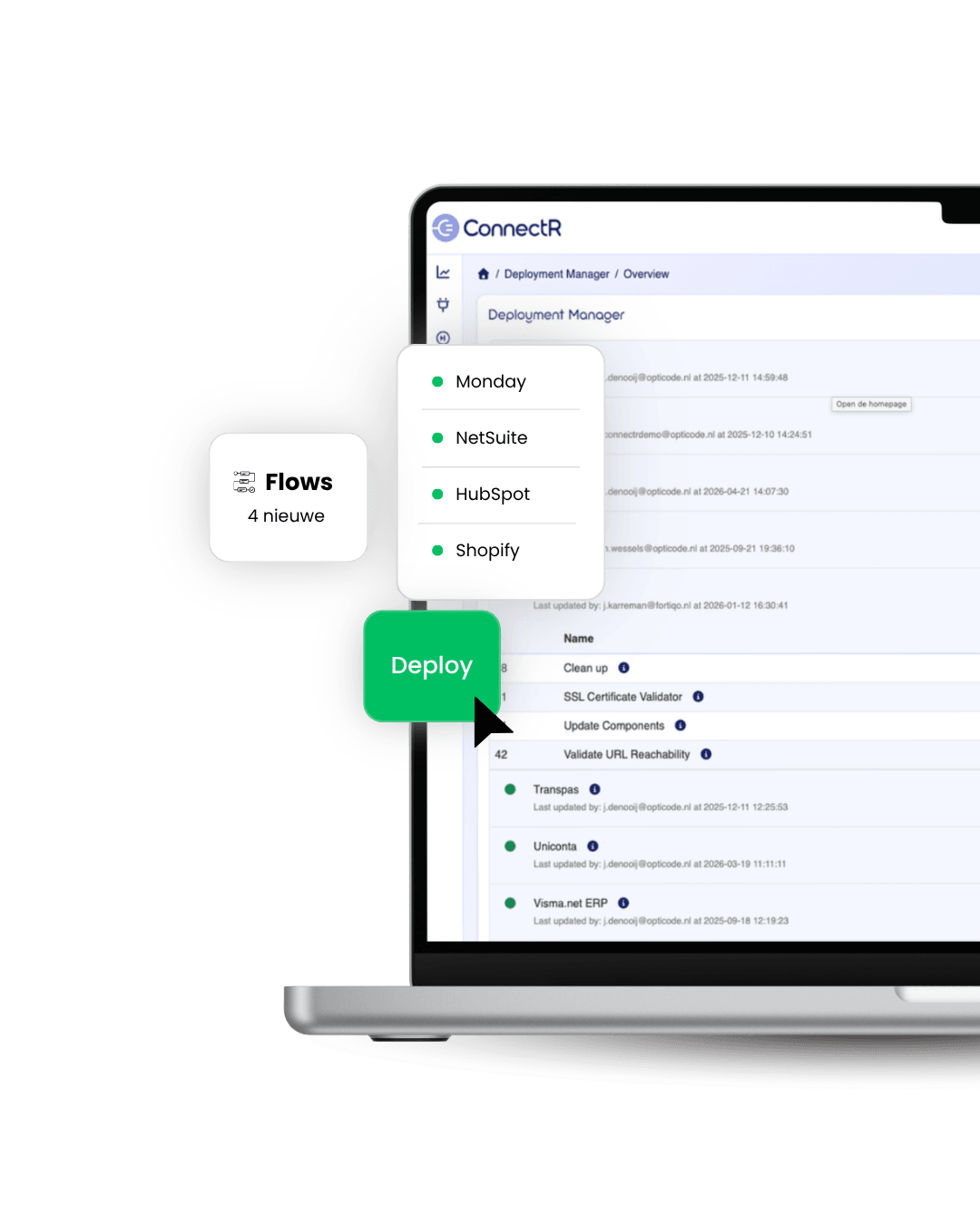
Flows are grouped into bundles by system. For each flow, you can see when something was changed, by whom, and which version is active. Deployment and activation are decoupled: you can roll out a flow without immediately putting it live, and temporarily disable active flows without rolling back the deployment.
Releases are managed in a controlled manner, even as the integration landscape grows.
Dashboards provide continuous insight into what’s flowing through the platform. Message counts by status, trends over time, pending queues, and processing volumes per flow. Filter by bundle, status, or time period to see where attention is needed. All insights are immediately available without having to analyze log files.
This way, you always make decisions based on facts.
All errors are centrally logged and forwarded to Exception Handling. You automatically receive a notification as soon as a message fails, complete with the full context: which message, which flow, which step, and what caused it. From the same screen, you can resend the message.
No errors that quietly affect your processes.

Efficient development through reusable scripts with version control and logical grouping by system. Thanks to Cron scheduling, data transformations (CSV, XML, JSON), and smart conditional routing, data always flows automatically—in the right format—to the right place.
Optimal security and control via MFA, RBAC, and comprehensive audit logs of all activities. The multi-tenant architecture, with strict separation between customers and instances, ensures that data and access remain securely isolated at all times.
Maximum uptime through configurable retry logic and protection against overload via concurrency and rate limiting. Dedicated agents ensure process isolation, while logging with configurable retention provides control over performance.
All Rights Reserved © 2026