ConnectR consists of three core components that together form a single integration platform: Management Studio for building, managing, and monitoring integrations; API Gateway as a gateway for external systems. And the Agent, which actually executes the integrations. Below, you’ll learn how the architecture is structured, what each component does, and what the foundation is based on.

ConnectR consists of three core components, each with its own role. Management Studio is the workspace where you build, manage, and monitor integrations. The API Gateway serves as a secure gateway for external systems. The Agent is the engine that executes everything.
Together, they form a single platform on which you can run your entire integration landscape.

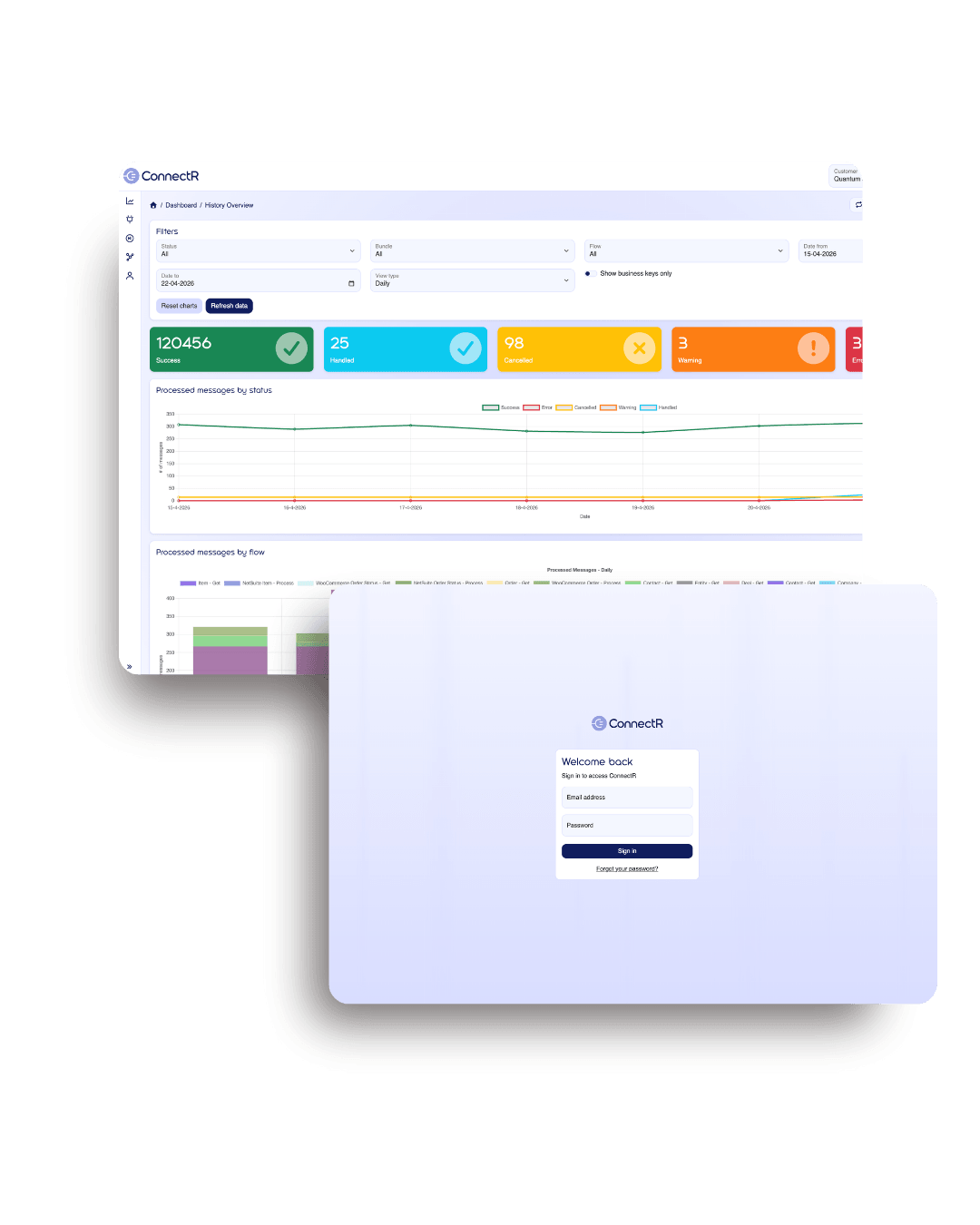
Within this single environment, you’ll find ConnectR’s distinctive features: the Flow Builder for visually configuring integrations, the Deployment Manager for controlled releases, Dashboarding for real-time insights, and Exception Handling for proactive error management. Each feature has a specific role; together, they form the complete workflow from development to production to management.
Whether you’re setting up a new integration, modifying an existing flow, or checking the system’s status—it’s all done from a single central interface. Role-based permissions ensure that everyone sees exactly what’s relevant to their role.
In the visual Flow Builder, you configure data flows as a diagram of connected steps. You work with different step types: scripts for data transformations, API calls for external systems, routers for conditional paths, and error handlers for errors you want to specifically handle. Between steps, you define the routing using expressions, ensuring that complex flows remain clear even as the logic expands.
Reusable scripts are version-controlled and can be shared across flows. Bundles group related flows by system or project, keeping a growing integration landscape organized. Changes are visible to anyone with the appropriate permissions, making it easy to transfer flows to colleagues or successors.
The Deployment Manager controls how you move changes from testing to production. Flows are grouped into bundles by system. For each flow, you can see when something was changed, by whom, and which version is active. Deployment and activation are decoupled: you can deploy a flow without immediately putting it live, and temporarily disable active flows without rolling back the deployment. This allows you to maintain control over releases and switch over in a controlled manner during maintenance or incidents.
In the Management Studio, you’ll find various dashboards that provide real-time insight into what’s flowing through the platform. You can view the number of messages by status, such as errors, trends, and queues. Exception Handling proactively alerts you when something goes wrong, providing a complete overview of the context. You can resubmit messages from the same environment, so you don’t have to rely on a developer in the event of an outage.
In addition to event-driven execution, flows can also run at fixed times. With flexible cron-based schedules, you can plan daily runs, quarterly tasks, or complex patterns such as “every two hours between 8 a.m. and 9 p.m.” For each schedule, you can immediately see the next execution, the last run, and the result. Errors in scheduled runs are automatically routed to Exception Handling.
Want to see the full capabilities of each feature? Check out the platform features for a detailed description of Flow Builder, Deployment Manager, API Gateway, Dashboarding, and Error Management.
Every connection is fully authorized first. IP whitelisting, API keys, and token authentication ensure that only trusted systems are allowed access. Authorization data is never logged, and sensitive information is stored in encrypted form.
Prevent a single system from overloading the entire chain. For each route, you can set the number of requests allowed and the number that can be processed simultaneously. This protects the performance of your integrations against spikes in traffic or misconfigured external systems.
Use endpoints to connect incoming traffic to one or more systems in your landscape. From an incoming message, you can start a workflow, set priorities, and manage the queue. This allows you to route traffic in a controlled manner to the right place within ConnectR.
Behind every integration that runs is the Agent. It processes messages, executes flows, and keeps the platform running. The Agent doesn’t do this mechanically: a smart engine determines which tasks take priority, how resources are allocated, and how the platform responds to spikes in volume.
From retrieving data from a source system to transforming, enriching, and forwarding it to the target systems. The Agent executes flows exactly as you’ve configured them, with customizable retry logic for each flow. You decide how many attempts a message gets, with what wait time, and when consecutive errors warrant an escalation. Errors that are not automatically resolved are routed to Exception Handling, where you can analyze them from the dashboard and have them re-executed.
The engine dynamically determines how work is distributed. Higher-priority tasks take precedence, backlogs are intelligently cleared, and resources are utilized efficiently. This means that even with large volumes and complex flows, you don’t need to intervene manually to maintain throughput.
Many organizations run their entire integration landscape on a single agent. For larger volumes or integrations with specific requirements, it’s also possible to deploy additional agents, each assigned to specific flows or systems. For example, a resource-intensive WMS integration can run on its own agent, separate from your other flows. This prevents a single heavy integration from affecting the rest of your landscape and ensures predictable performance, even during peak periods.
ConnectR is a multi-tenant SaaS platform. All customers run on the same up-to-date version and automatically receive updates and new features. No in-house infrastructure, no version management, no upgrade projects. Whatever you build, you build on proven building blocks that have already demonstrated their value in dozens of other customer environments.
Data in transit is protected with TLS connections. Sensitive data, such as API keys, is stored in encrypted form. Authorization data and tokens are not logged, so they cannot be retrieved from log files. Data retention is limited to what is functionally necessary for logging and troubleshooting.
Access to the platform is controlled via multi-factor authentication and role-based permissions. Users can only view and perform actions associated with their role. All user activities are recorded in audit logs, allowing you to verify afterward who made what changes and when. This is essential for both routine management and compliance audits.
ConnectR runs on high-availability infrastructure, supported by regular backups and proactive monitoring of disk space, processor usage, and external accessibility. In the event of anomalies, the management team is notified immediately, without you having to do anything. Data is hosted within the EU, ensuring compliance with the GDPR and other European regulations.
ConnectR scales along two axes. Functionally, you scale by purchasing more credits, which allow you to process more messages or more complex flows within your existing environment. Technically, you scale by adding more agents, enabling the platform to handle more work in parallel.
ConnectR is used daily by companies in wholesale, e-commerce, manufacturing, and logistics. More than a hundred active integrations, over fifty million messages per year. This scale is not a marketing claim but the result of years of continuous development based on what works.

We’d love to show you how ConnectR fits into your specific situation. During a consultation, we’ll discuss your current landscape and the steps that will deliver the most value for you.
All Rights Reserved © 2026